IPTV Setup Guide — Welcome to HolyIPTV!
Your Holy IPTV subscription is now active. Check your email for your M3U link and Xtream Codes login details.
Follow the two simple steps below to start streaming.
Step 1 — Install an IPTV App on Your Device
HolyIPTV works with any player that accepts Xtream Codes or M3U. Here are the ones we see customers use most.
Choose the device you will watch on:
IPTV Smarters Pro
The most widely used IPTV app. Simple "Add User" login with Xtream Codes, multi-screen and recording.
Free. On FireStick it must be side-loaded with the Downloader app.
Kyro Player
Modern player with a TV guide, posters for movies and series, and Continue Watching. Installs from the official Amazon, Google and Apple stores.
Free to try, then a small in-app upgrade.
Apps that work with HolyIPTV
All of these accept the same login from your welcome email. Choose by the device you own and the look you prefer.
| App | Devices | Where to get it |
|---|---|---|
| Kyro PlayerFree to try, then a small in-app upgrade. | FireStick, Android TV / Google TV, Android phones, Apple TV, iPhone & iPad | Amazon Appstore, Google Play, App Store |
| IPTV Smarters ProFree. On FireStick it must be side-loaded with the Downloader app. | FireStick, Android TV, Android phones, iPhone & iPad, Samsung & LG, Windows | App stores (iOS, Samsung, LG) or side-load the APK |
| TiviMateFree with a premium unlock for the full guide. | Android TV / Google TV, FireStick | Google Play or side-load on FireStick |
| IBO PlayerActivation on the developer's website may be required. | Samsung & LG Smart TV, Android TV | TV app store |
| VLC Media PlayerLive channels only — no posters or guide. | Windows, Mac, Linux | videolan.org |
Step 2 — Add Your HolyIPTV Details
Enter the credentials from your Holy IPTV welcome email
Xtream Codes Login
Open the app, select "Xtream Codes", "Add User" or "Add Playlist", and enter your username, password and server URL from the email. The guide, movies and series load automatically.
M3U Link
Open the app, select "M3U URL" or "M3U playlist", and paste the M3U link from your HolyIPTV welcome email. Use this for VLC and any player without an Xtream Codes option.
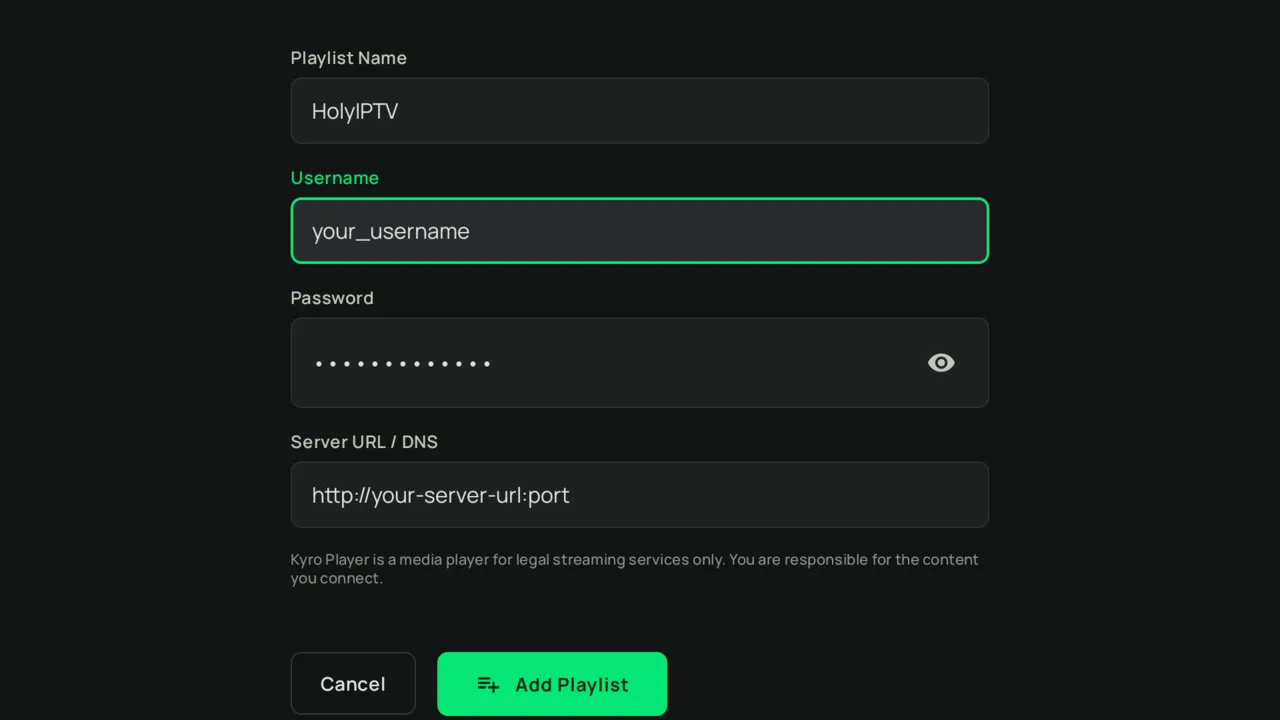
http:// and the port. Example shown from Kyro Player; Smarters, TiviMate and IBO use the same fields under slightly different labels.That's it! You're ready to stream 25,000+ live channels and 60,000+ movies & series in HD/4K.
Important Note About Apps
IPTV player apps are made by independent developers. Some are free, some ask for a small one-time purchase or their own subscription to unlock every feature. This is completely separate from your HolyIPTV subscription — Holy IPTV provides the IPTV service only; the apps and their pricing are managed by their developers.
Need Help Setting Up HolyIPTV?
Our HolyIPTV support team is available 24/7 to help you get started.